The Essential ADHD Tech Stack
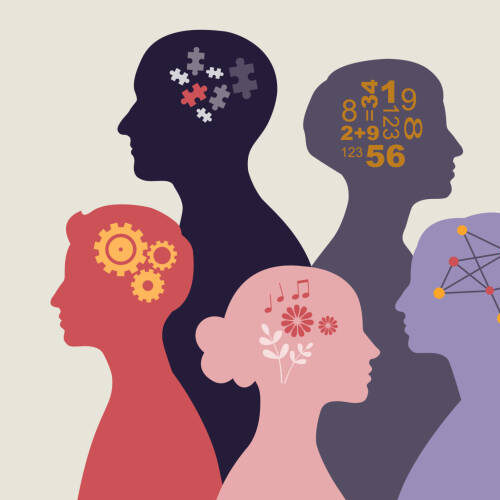
An essential ADHD tech stack is a small, intentional collection of digital tools designed to capture ideas, structure daily tasks, and protect focus without creating extra administrative friction. By leaning on two or three reliable apps to handle working memory demands, you turn your devices into supportive external systems rather than constant sources of distraction.
When living with ADHD, relying solely on mental notes often leads to dropped balls, missed deadlines, and background anxiety. Your working memory has limited space. Trying to hold onto dental appointments, unsent emails, and quick grocery list ideas takes a massive amount of cognitive energy. The right technology takes that heavy burden off your shoulders, storing information reliably until you are ready to act on it.
Why your brain needs external tech
Many adults with ADHD cycle through productivity applications. You download a sleek new application, spend three hours customizing templates, color-coding categories, and setting up complex tag systems, only to abandon it a week later. This cycle happens because high-friction systems demand more executive function than they save. When a tool requires too many clicks or decisions, your brain naturally resists using it.
Technology works best when it acts as a quiet, passive container for your thoughts. When you do not have to spend energy remembering where you saved a document or guessing what task comes next, your mind is free to focus on actual execution. Using digital utilities as cognitive support helps with working around working memory limitations, giving your brain room to process ideas without constant strain.
Externalizing your thoughts removes the constant fear of forgetting. When you trust that your tools will remind you of an upcoming appointment or an unbilled invoice, your nervous system can relax. You spend less time mentally rehearsing your to-do list throughout the day and more time engaging with the task right in front of you.
The goal of an effective tech stack is not to build a complex digital architecture. Instead, the goal is to lower activation energy. Every app in your routine should save you time and mental effort, making life feel simpler rather than more complicated.
The three core layers of an ADHD tech stack
Instead of downloading every trending tool on social media, group your digital needs into three distinct functional layers. A complete stack only requires one dependable tool for each layer.
The first layer is quick capture. This is where you dump every fleeting thought, task, or reminder the second it enters your mind. If capturing an idea requires opening a specific folder or assigning three tags, the capture process will fail when you are tired or overwhelmed. You need a fast, low-barrier input method, such as a single text note on your phone home screen or a rapid audio recorder that transcribes your speech.
The second layer is schedule and structure. This layer holds time-sensitive commitments like calendar events, doctor appointments, and work deadlines. A reliable digital calendar prevents double-booking and sends timely notifications so you do not have to track passing hours in your head.
The third layer is focus execution. Once you know what you need to do, focus tools help you sit down and start work. This layer might include body doubling platforms, simple visual timers, or ambient noise generators that quiet environmental background noise.
Choosing tools for capture, structure, and focus
When evaluating specific software for your daily workflow, favor simplicity over features. Here are the core categories to consider when assembling your personal setup:
- Quick capture apps: Choose tools that open directly into a blank text box or record voice notes automatically. Fast input prevents you from forgetting the thought while navigating complex menus.
- Digital calendars: Pick a calendar app that syncs seamlessly across all your devices. Visual clarity and customizable alerts are essential for keeping track of your commitments.
- Task organizers: Look for simple task managers that let you view items by day rather than overwhelming you with endless project folders.
- Focus timers: Visual countdown timers or simple focus applications give your brain a gentle nudge by making time visible and creating manageable work intervals.
- Audio transcription tools: Voice note apps that transcribe spoken words into text let you talk out complex thoughts while pacing or walking without stopping to type.
Keeping your toolkit small ensures you spend less time tweaking options and more time actually completing your daily tasks. Embracing simplified organization protects your executive function for the work that truly matters.
Rules to avoid tech overload
The biggest risk with digital tools is falling into the setup trap. Installing five new apps at once feels productive, but managing multiple notifications quickly leads to digital fatigue and cognitive overload.
First, stick strictly to two or three anchor apps. An anchor app is a tool you trust completely and open every single day. If you use one main calendar and one quick-capture tool, you do not need three separate task managers competing for your attention. Sticking to a lean collection ensures that your personal information stays centralized instead of scattered across the internet.
Second, minimize setup friction. If a tool requires extensive configuration, detailed tagging, or manual sorting before you can record a simple thought, it is too heavy for daily ADHD management. The best app is always the one that requires the fewest taps to get a thought out of your head and onto the screen.
Third, audit your mobile and desktop environment. Digital tools can easily turn into distraction traps if social media or games sit right next to your productivity utilities. Group your core work apps on your primary home screen, and move high-distraction apps into hidden folders or apply app limiters during work hours. Implementing these basic adhd focus tips keeps your digital environment calm and functional.
Fourth, turn off non-essential notifications. Every ping, badge, and banner creates a micro-interruption that shatters your attention. Configure your capture apps and calendars to alert you only when action is strictly required, leaving the rest of your tools silent until you intentionally choose to open them.
Finally, review your stack regularly. If an app stops working for you, remove it without guilt. Your tech stack should adapt to your current life demands, not force you to maintain systems that no longer serve you.
How Untangle can help
If capturing thoughts and turning them into actionable steps feels chaotic, Untangle offers a streamlined way to clear your head. Through its Brain dump feature, you can speak or type everything on your mind all at once, without worrying about organization, categories, or formatting. Aaron, the in-app coach, takes that unstructured stream of thoughts and automatically converts it into a clean, ordered plan. This allows you to empty your working memory in seconds and view your next priorities without getting stuck in planning fatigue.
This guide is educational and is not medical advice. Talk to a qualified clinician about your own situation.
Frequently asked questions
What is an ADHD tech stack?
An ADHD tech stack is a small combination of digital tools used to capture thoughts, organize tasks, and maintain focus. Instead of relying on mental energy, adults with ADHD use these applications as external memory supports.
How many apps should be in an ADHD tech stack?
Most people only need two or three core anchor apps. Keeping your collection minimal prevents software fatigue and ensures you spend less time managing applications and more time completing your actual tasks.
Why do I abandon productivity apps after a few days?
Complex apps require too many decisions, tagging steps, or manual entries, which quickly drain executive function. When a digital system takes more energy to maintain than it saves, your brain naturally resists using it.
Can technology help with ADHD time blindness?
Yes, digital tools like syncable calendars, visual timers, and customizable alarms make time visible. They reduce the mental strain of estimating hours and help keep daily commitments on track.
Keep reading
Working Around Working Memory
Struggling with ADHD working memory? Learn practical ways to offload thoughts, build low-friction capture habits, and simplify daily tasks.
Practical ADHD Focus Tips That Work With Your Brain
Discover practical ADHD focus tips designed to lower task friction, quiet digital distractions, and build daily momentum without feeling overwhelmed.
Simplified Organization
Discover how simplified organization can help you manage clutter without complex systems, open lids, or high friction when living with ADHD.
Thoughts & Reflections